Teams manually reconciled high-volume NGMR quote work across Jira exports, Excel filters, screenshots, and conversations.
Portfolio case study / AFL - TELUS
AFL Distribution Quote Tracker
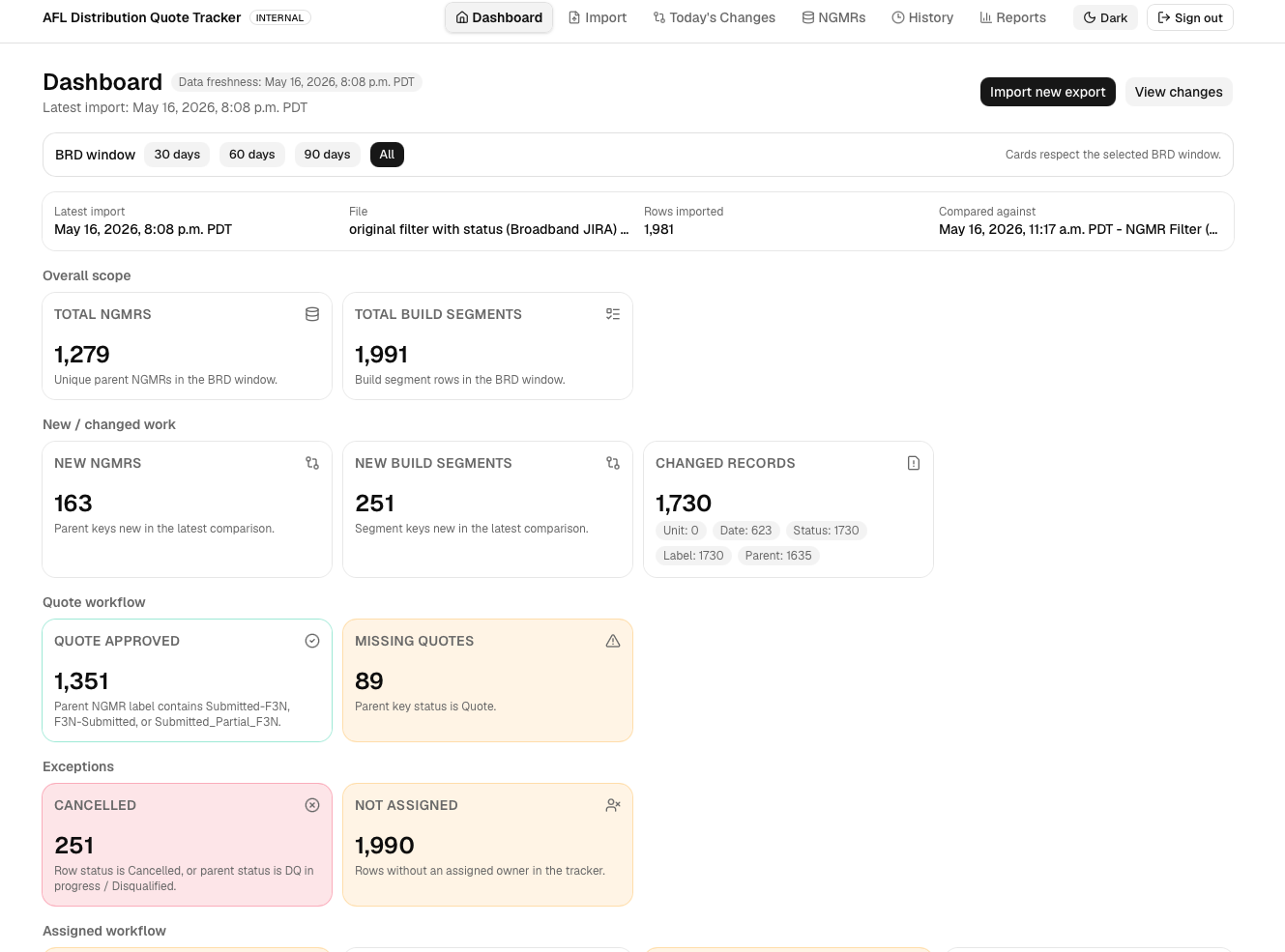
I designed and built an internal workflow portal that turned Jira Excel exports into a searchable, assignable, change-aware operations tool for distribution quote tracking.
- Quote approved
- 1,351
- Build segments
- 1,991
- Changed records
- 1,730
Executive summary
From static exports to an accountable quote workflow
The product was not just a dashboard. It became a workflow layer where teams could compare imports, identify exceptions, assign follow-up, add audit notes, and review history in one place.
Preserve the trusted spreadsheet structure, then add comparison, history, ownership, and workflow visibility around it.
Users moved from lookup and manual comparison to filtered review, assignment, and tracked follow-up.
Product context
The existing workflow worked, but it was fragile
Users trusted Excel because it matched how they worked. The design challenge was improving speed, visibility, and auditability without replacing every habit at once.
- Jira exportRaw rows and parent-child records.
- Excel filtersManual slices by release, region, and status.
- ComparisonLook for new rows and changed values.
- ConversationConfirm owner, status, and action.
- Leadership readoutSummarize status and risks manually.
Design principles
Four principles shaped the product
Keep workbook language, parent NGMR structure, and import rhythm visible instead of hiding the work behind abstract dashboards.
Make new work, missing quotes, cancellations, changed records, and unassigned rows impossible to miss.
Let users paste NGMR IDs from Jira, Excel, messages, or screenshots instead of forcing dropdown discovery.
Add assignment, comments, audit notes, and history so the portal becomes a workflow tool, not a passive report.
Product design
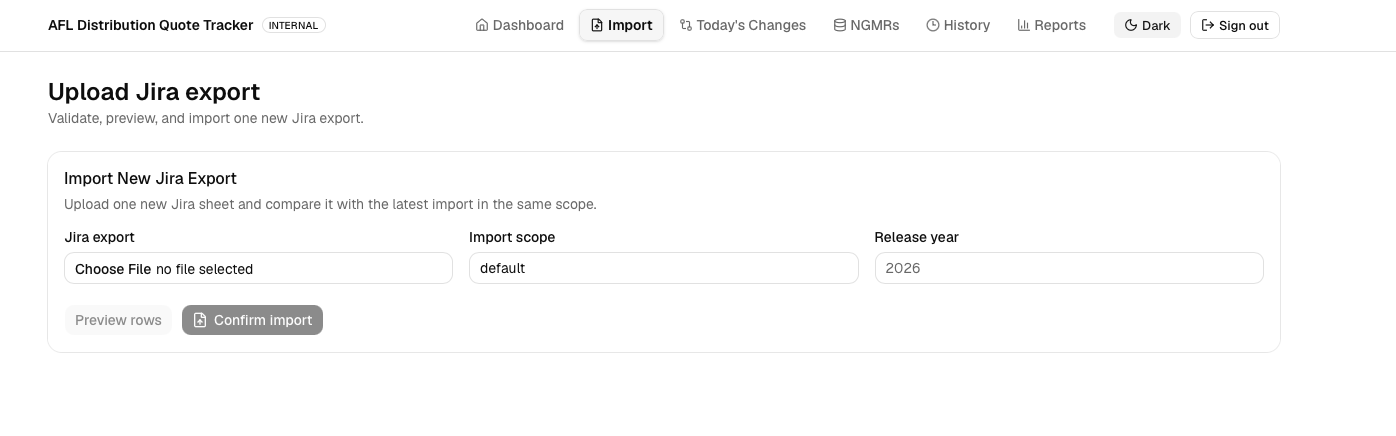
A simple import flow built for trust
The product starts where the team already worked: Jira Excel exports. The import experience stayed deliberately simple so users could validate, preview, and compare a file before committing new data.
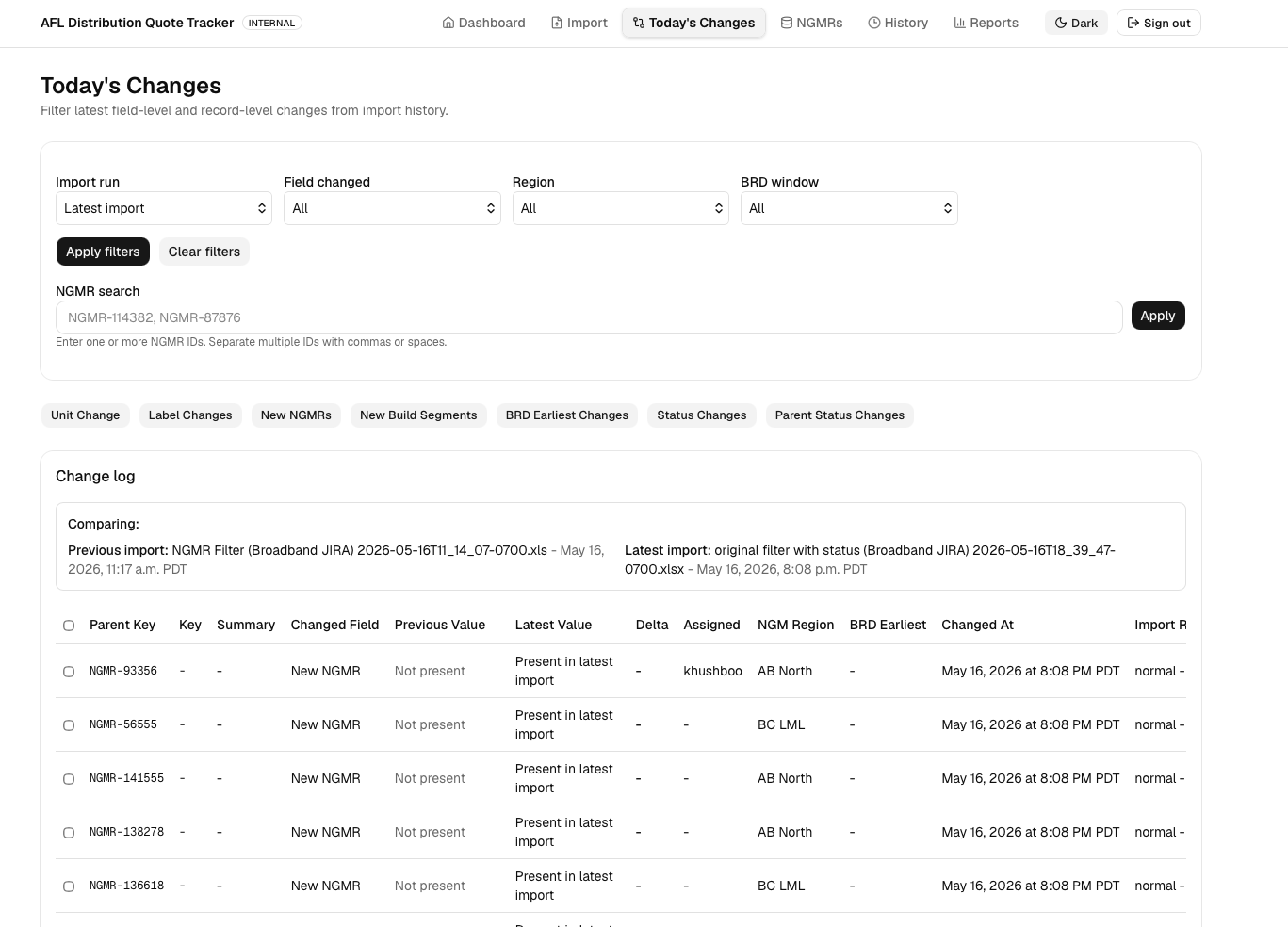
Field-level comparison for daily change review
Instead of comparing spreadsheets manually, the portal surfaces the latest differences between import runs in a single review screen. Teams can focus on what changed and what needs follow-up.
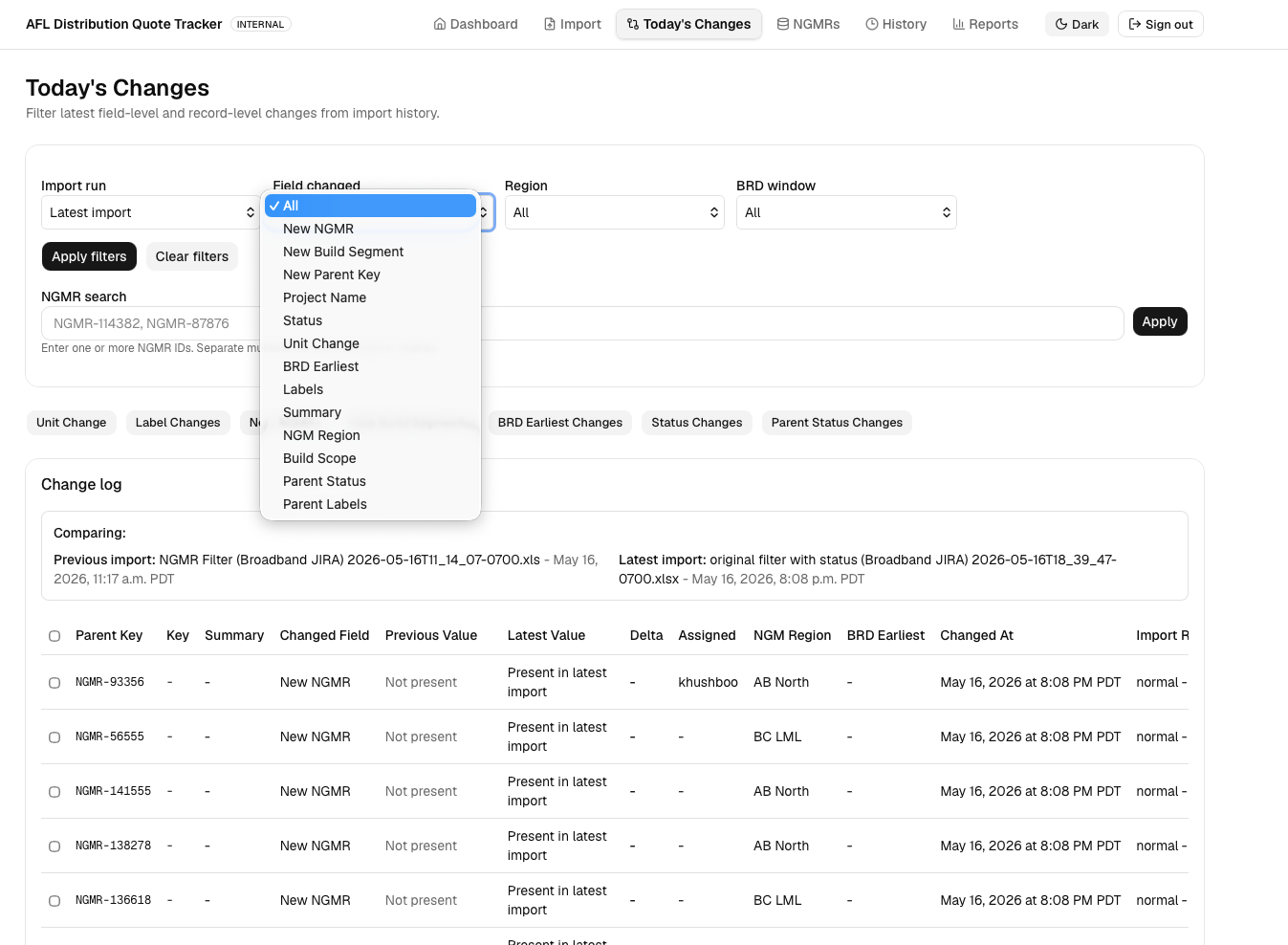
Flexible filters made change audits more usable
A major design challenge was helping operations teams narrow large change sets without turning the screen into a confusing report builder. Quick chips handled repeat tasks while deeper filters supported audits.
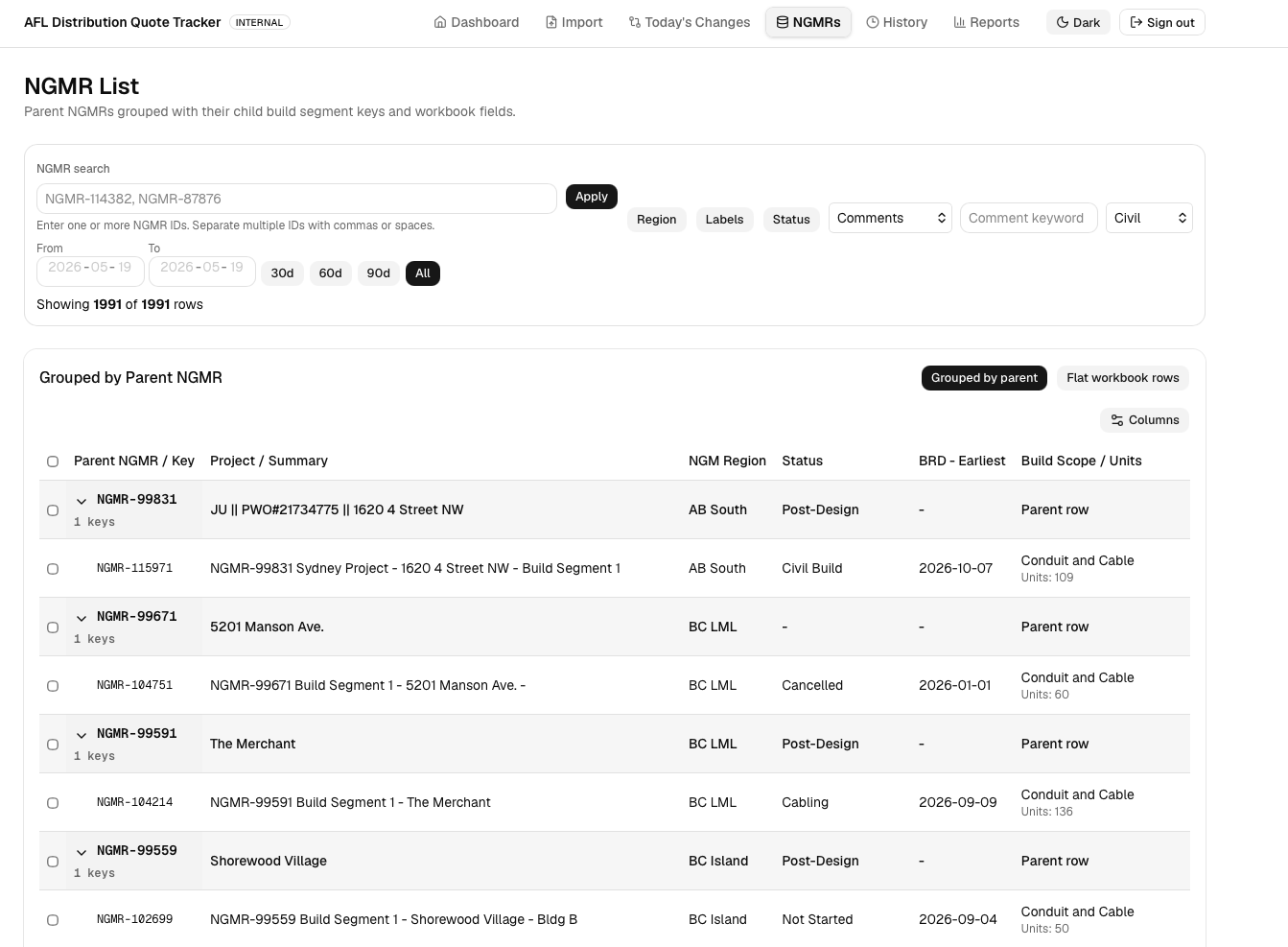
Not just a table - a task workflow for quote follow-up
The NGMR list organizes parent records with child build segments, then adds action fields so teams can assign ownership, add audit notes, review history, and drive follow-up like a lightweight task manager.
Impact
100% change capture, clearer ownership, better exception visibility
The highest-value shift was replacing scattered Teams-message updates and monthly manual misses with one reusable operational workflow for accountability, action, and exception management.
Next case study